

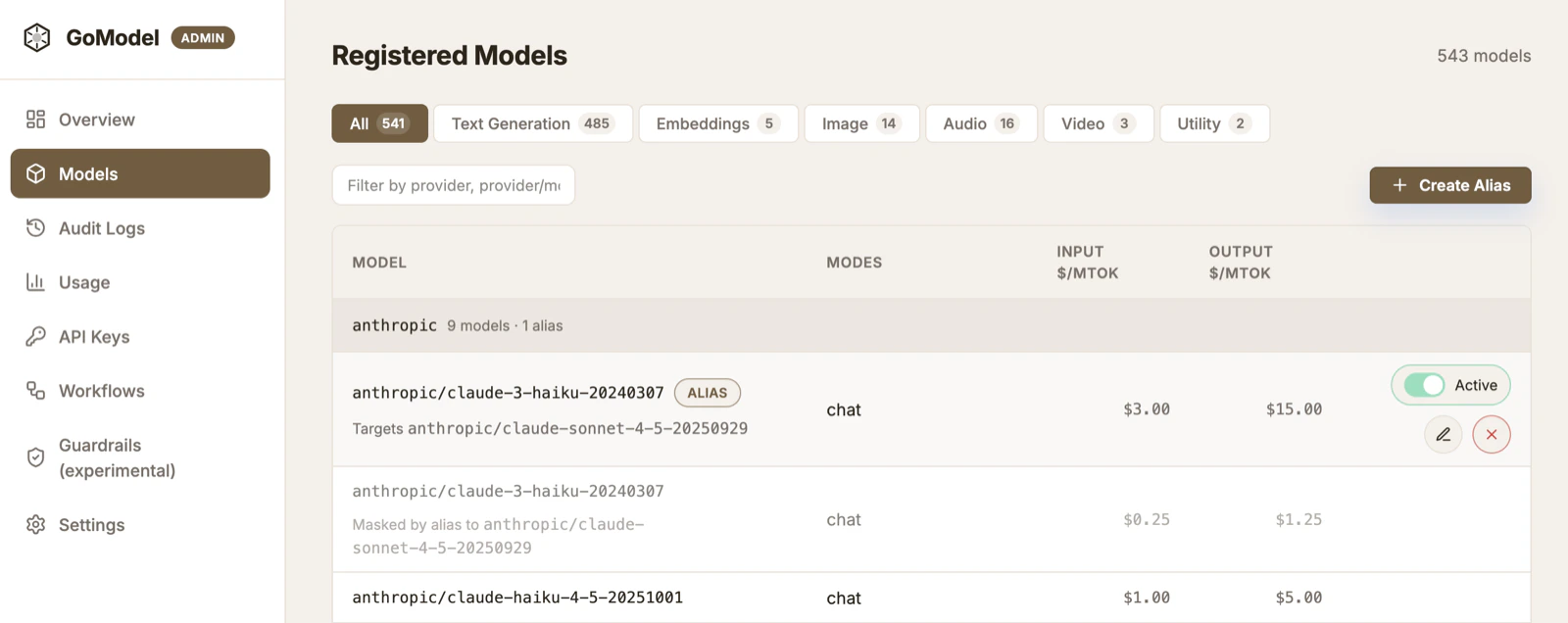
What aliases do
An alias is a stable model name that points to a concrete provider model. Your app sends the alias in themodel field, and GoModel resolves it before sending
the request upstream.
Create and manage aliases in the admin dashboard at Models -> Create Alias.
Use stable names
You can expose names likeregular and smarter instead of provider-specific
model IDs.
regular->anthropic/claude-sonnet-4-6smarter->anthropic/claude-opus-4-6
Expose only aliases
To hide provider models fromGET /v1/models, set:
/v1/models instead
of the full provider model list. The setting is also listed in .env.template.
Shadow a model
An alias can “shadow” a model by using the same name as an existing model and pointing it somewhere else. This lets you override a requested model without changing application code. For example:- alias name:
anthropic/claude-opus-4-6 - target model:
anthropic/claude-sonnet-4-6
anthropic/claude-opus-4-6, while GoModel routes the
request to anthropic/claude-sonnet-4-6.
A/B testing
Aliases are useful for short model experiments. Move an alias from one target to another, then compare app behavior, latency, and usage. For example, pointsmarter at Opus for one test and Sonnet for another. You can
also shadow opus-4-6 with sonnet-4-6 to check whether the same app flow still
works.