

Run GoModel in 20 Seconds
1. Install and start GoModel
- macOS / Linux
- Windows
- Docker
- Live Demo
2. Set up a provider
You can do this with an environment variable, a config.yaml file (infrastructure as code), or from the Dashboard’s Providers page - (no restart required in this case).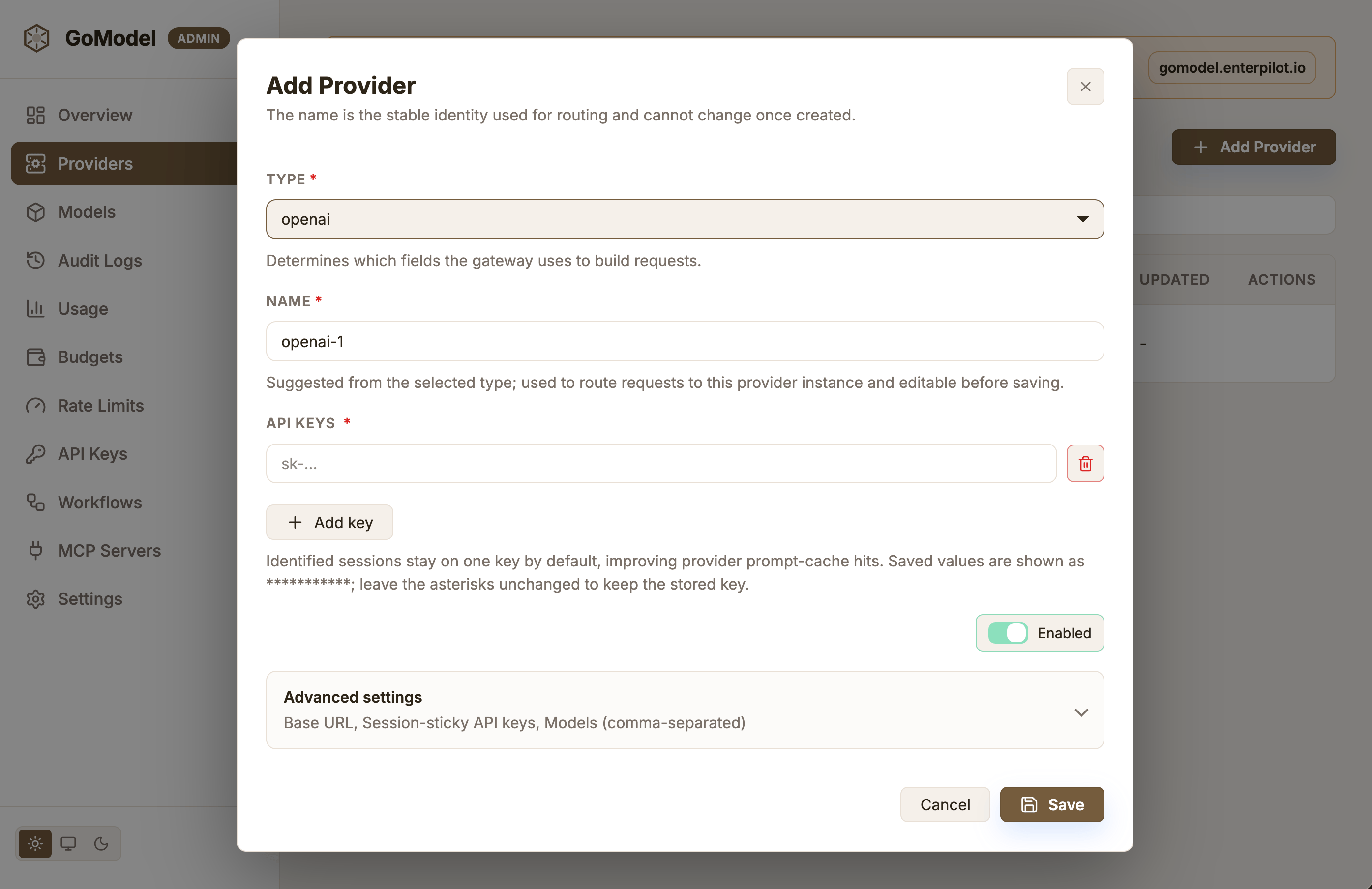
3. Send your first request
Usecurl, the OpenAI SDK, or the Anthropic SDK for Python and JavaScript
against the same gateway:
Admin Panel Preview
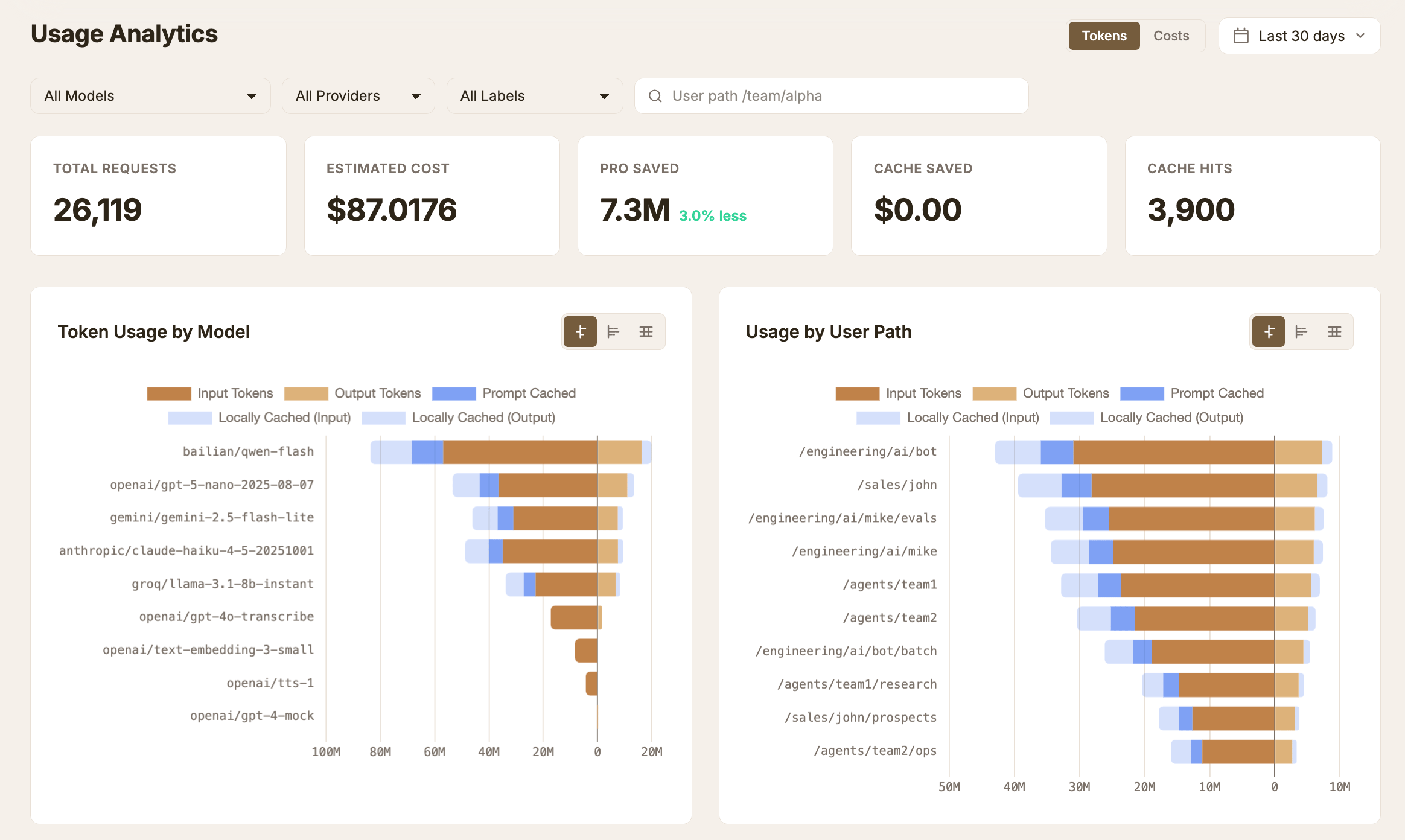
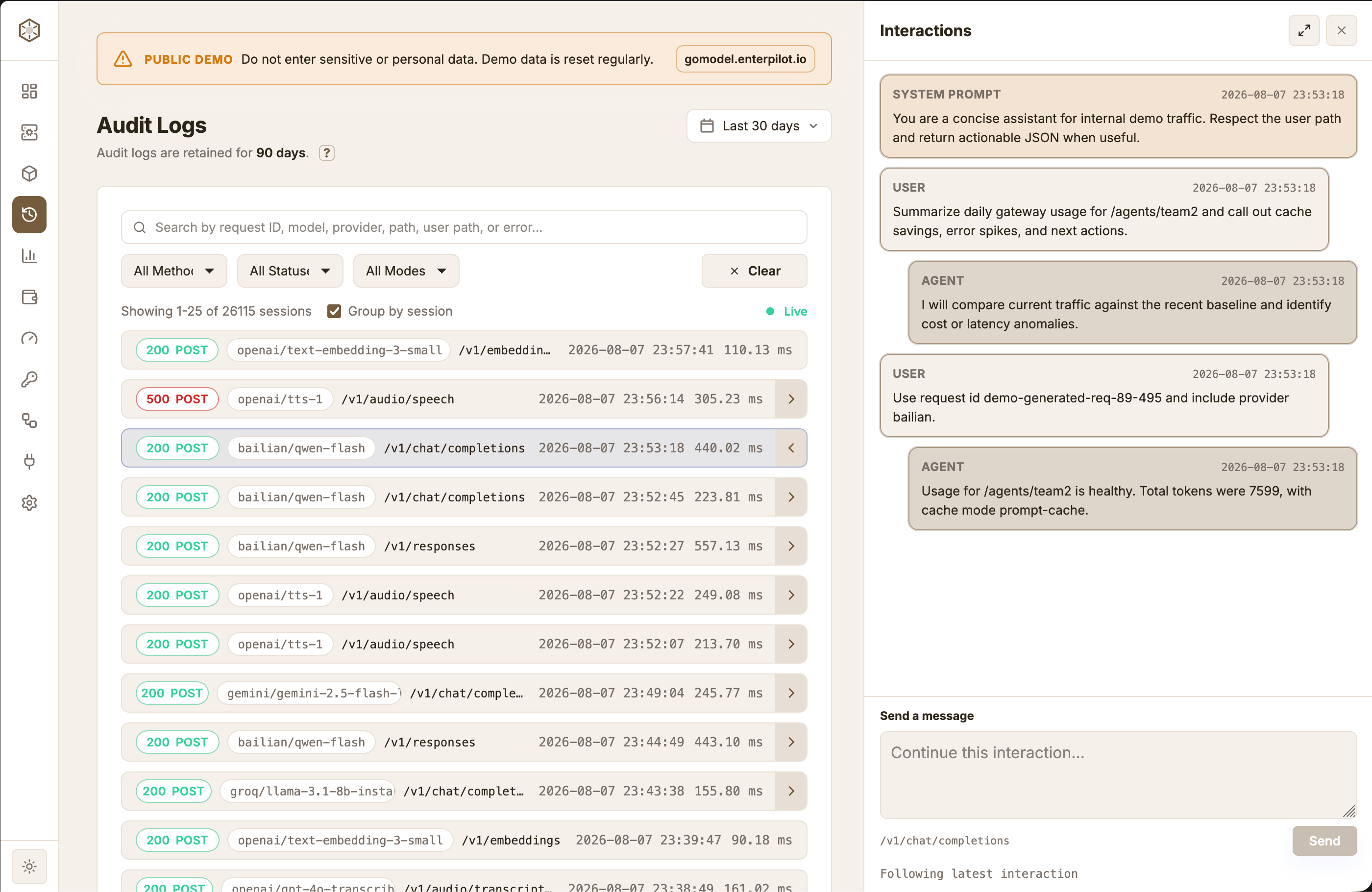
Open this URL in your browser to see the management dashboard and real-time audit logs and more:http://localhost:8080/admin/dashboard
Usage Analytics
Audit Logs
Next Steps
- Take it to production: Production Deployment
- Update, pin a version, or uninstall: FAQ
- Understand response caching: Cache
- Add spend limits: Budgets
- Configure production settings: Configuration
- Add request policies: Guardrails
- Connect OpenClaw: Using GoModel with OpenClaw