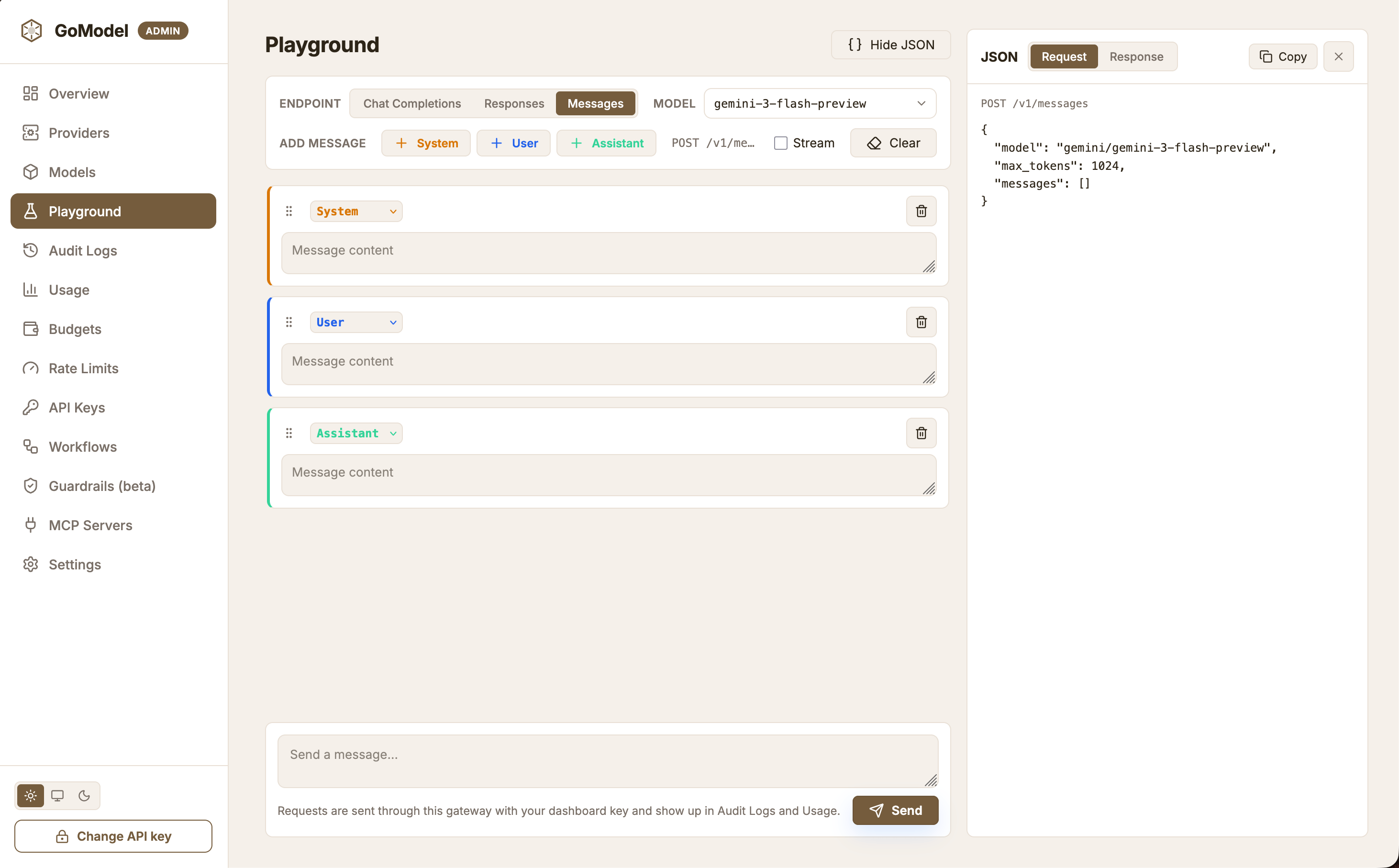
/admin/dashboard/playground) sends requests through the
gateway’s public API with your dashboard key, so every call is routed, logged, and
metered exactly like a client’s request. Pick an endpoint (/v1/chat/completions,
/v1/responses, or /v1/messages), a model from the inventory or any alias,
or virtual model by name, and whether to stream; build the conversation
from editable, reorderable System, User, and Assistant messages; and send a prompt.
The JSON panel on the right shows the request body as it will be sent (updated live
as you edit) and the last response with its status, latency, and token usage —
streamed responses are assembled into the same shape a non-streaming call returns.
Requests are subject to the same budgets, rate limits, guardrails, and request logging
as any other client of the gateway.
Image, speech, transcription, and embeddings
The Mode switch above the model picker tests media models too. Each mode calls the gateway’s OpenAI-compatible endpoint and lists models whose metadata advertises that mode first; you can still type any model or alias.
Size, count, and format are sent only when they differ from the provider
default (
mp3 for speech). The JSON panel shows the request body; a
transcription is sent as multipart/form-data, so its preview describes the
file part instead of carrying the bytes. Inline b64_json images are shortened
in the response JSON to keep it readable, and Copy copies that shortened
JSON. Speech responses are summarized as their content type and size.
For embeddings, the encoding format is sent only when it is not float.
Dimensions are left out while the field is blank; otherwise they must be a
positive whole number and are sent as a JSON integer. The response JSON cuts each
vector to its first values (long base64 vectors to their first characters),
and per-token embeddings, such as vLLM’s token_embed, to their first row; the
result shows the number of token vectors next to each embedding. Copy still
copies the full response.
User path scoping
Virtual models can be restricted to specificuser_paths, and Playground requests
authenticated with the master key can scope themselves to one of those paths with
the User path field next to the model picker. When you select a model whose
policy declares user_paths, the field is prefilled with the first entry; you can
edit it before sending. On send, the value is carried on the user-path request
header, exactly as an external client would send it, so the gateway records the
path on the request snapshot and grants access to models restricted to that path —
a request without the header is denied for those models.
The header name is X-GoModel-User-Path by default. If you customize it through
USER_PATH_HEADER (or server.user_path_header), the dashboard reads the
effective name from GET /admin/runtime/config and sends the scoped path under
that header, so no extra dashboard configuration is needed.